Download Infinix XPAD 30 X1102D Stock ROM firmware 16.3.0.150SP14 (OP006PF001AZ), Android 16, for bootloop repair, software recovery and system restoration.
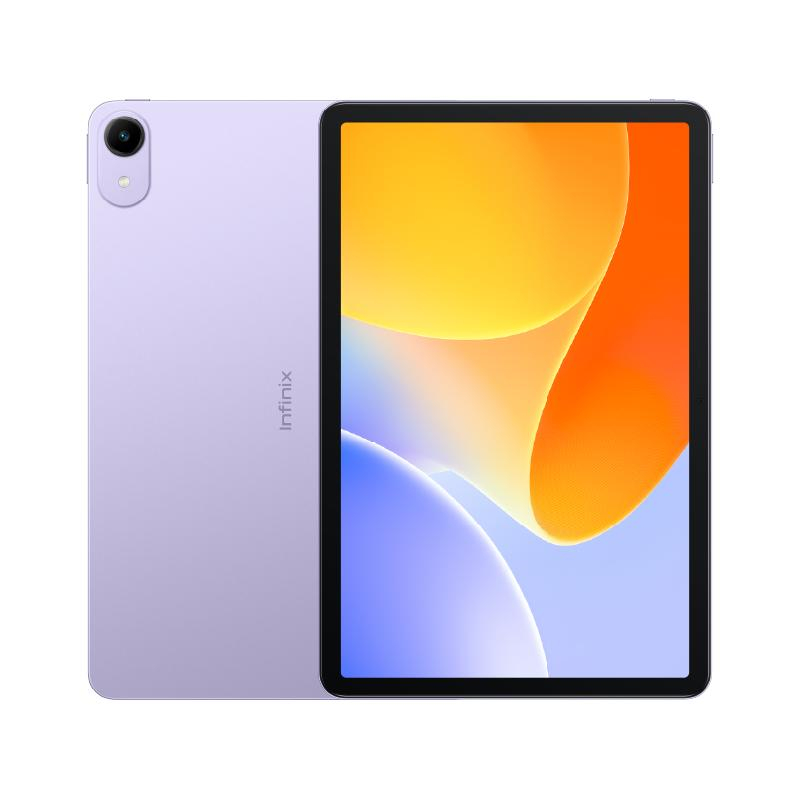
| Encontro | 2026-10-21 15:48:20 |
| Tamanho | 5.91 GB |
| Visitas | 6 |
Download the stock firmware package for the Infinix XPAD 30 X1102D, build X1102D-16.3.0.150SP14 (OP006PF001AZ), available through NelplacaTeCfiles.com.
This Android 16 firmware package is intended for professional software maintenance, system recovery, stock ROM reinstallation and troubleshooting on compatible Infinix XPAD 30 tablets.
Brand: Infinix
Device Name: Infinix XPAD 30
Device Type: Android Tablet
Model Number: X1102D
Firmware Version: 16.3.0.150SP14
Full Firmware Build: X1102D-16.3.0.150SP14
Software Variant: OP006PF001AZ
Operating System: Android 16
User Interface: XOS 16
Processor: MediaTek Helio G88
Firmware Type: Stock ROM / Flash Firmware
File Format: RAR Archive
Compressed File Size: 5.91 GB
Firmware Provider: NelplacaTeCfiles.com
The Infinix XPAD 30 is an Android tablet designed for everyday productivity, entertainment, internet browsing and multimedia applications.
Its reported hardware specifications include an 11-inch IPS display, MediaTek Helio G88 processor, Android 16 operating system and 4G LTE connectivity.
The stock firmware is intended to restore the system software on compatible X1102D devices when software-related problems occur.
The Infinix XPAD 30 X1102D stock firmware may assist professional technicians with the following operations:
Stock ROM Reinstallation: Reinstall the original operating system on a compatible Infinix XPAD 30 tablet.
Bootloop Recovery: Attempt to repair devices that remain stuck on the Infinix startup logo or repeatedly restart.
Software Corruption Repair: Restore damaged or missing operating system components.
System Recovery: Recover a compatible device affected by failed software updates or unsuccessful modifications.
Firmware Restoration: Restore the stock software configuration when supported by the device.
Software Troubleshooting: Address certain system crashes, freezing issues and abnormal software behaviour.
Firmware installation cannot guarantee recovery from hardware damage, storage failure or other physical defects.
Before installing the firmware, prepare the following:
A compatible Infinix XPAD 30 X1102D tablet.
A Windows computer or laptop.
Compatible MediaTek USB drivers.
An authorised firmware flashing tool supporting the included package format.
A reliable USB data cable.
Sufficient device battery charge.
A backup of important personal data whenever possible.
Step 1 — Download the Firmware
Download the Infinix XPAD 30 X1102D firmware package from NelplacaTeCfiles.com.
Step 2 — Extract the Archive
Use compatible extraction software to extract the RAR firmware package.
Step 3 — Inspect the Firmware Files
Verify the extracted firmware contents and identify the supported flashing format. Check for any included instructions or device-specific requirements.
Step 4 — Install USB Drivers
Install the appropriate MediaTek USB drivers on your Windows computer.
Step 5 — Prepare the Flashing Tool
Open an authorised flashing utility compatible with the firmware files and the device's security requirements.
Step 6 — Load the Firmware
Select the appropriate firmware files according to the flashing tool's documentation.
Step 7 — Connect the Tablet
Connect the compatible tablet using the required servicing procedure.
Step 8 — Start the Flashing Process
Follow the supported flashing procedure without interrupting the installation.
Step 9 — Verify the Installation
After successful completion, restart the tablet and verify that the operating system loads correctly.
Important: These instructions are general guidelines only. The actual flashing procedure depends on the contents of the downloaded package, the supported flashing tool and the device's security configuration.
Firmware Build: X1102D-16.3.0.150SP14 (OP006PF001AZ)
This firmware package is identified for the Infinix XPAD 30 X1102D.
Always verify the exact device model, software build, regional variant and hardware compatibility before starting the installation.
Do not assume compatibility with the Infinix XPAD, XPAD 20, XPAD 30E, XPAD 30 Pro or any other tablet model.
Different firmware builds and software variants may not be interchangeable.
Firmware flashing carries risks, including personal data loss, operating system malfunction and permanent device damage if performed incorrectly.
NelplacaTeCfiles.com is not responsible for problems resulting from incompatible firmware, improper flashing procedures, unauthorised software modifications or misuse of servicing tools.
Only perform firmware installation and servicing on devices you own or are authorised to repair.
Firmware Provided by NelplacaTeCfiles.com
Professional Firmware Downloads & Mobile Software Solutions.

